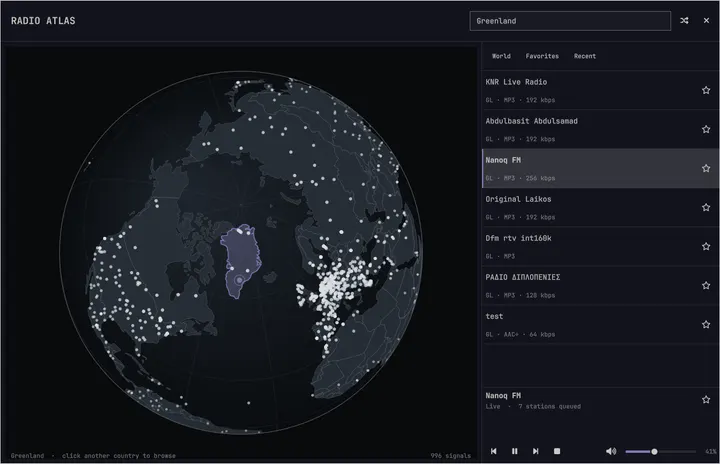
Radio Atlas
48estrellasExplora estaciones de radio en vivo en un globo que puedes girar y escúchalas con los controles multimedia de Omarchy.
Akshar Patel - Widgets
El sistema operativo moldeable para la era de los agentes.Haz cambios, ajustes y resuelve problemas al ritmo de tus ideas.
Linux solía ser complicado de instalar, difícil de depurar y lleno de decisiones confusas desde el principio. Omarchy resuelve todo con una instalación rapidísima, agentes que diagnostican los problemas y excelentes ajustes predeterminados que te dan un sistema completamente funcional y con un aspecto increíble desde el primer inicio.
Oma viene de omakase, la elección del chef: el chef elige los platillos, pero siempre puedes devolver cualquiera. Omarchy te ofrece un punto de partida exquisito que después puedes hacer tuyo.
Todavía no es perfecto… Pero ahora podemos arreglarlo todo.
Déjate contagiar por el entusiasmo.
Empieza a trabajar en apenas 35 segundos en las máquinas más rápidas y en menos de dos minutos en la mayoría de las computadoras.
Graba la imagen ISO en una memoria USB y responde cinco preguntas. Recibirás un escritorio listo.
De la USB al escritorio en menos de un minuto. Verifica el archivo: SHA-256, firma.
Todo Omarchy en una máquina virtual, para que puedas probarlo primero.
Macs con Apple Silicon, Windows 10 y 11.En Linux, entra con la imagen ISO.
El manual también explica el arranque dual junto a Windows y las instalaciones desatendidas.
No necesitas una computadora nueva para probar Omarchy. Pero, si compras una, las laptops de hoy son increíbles.
¿Listo para algo nuevo? Laptops como la Dell XPS más reciente son excelentes máquinas para Omarchy, y nuestro equipo principal ayuda a que el hardware más nuevo funcione bien.
Conoce al equipo detrásDale una segunda vida a tu vieja Mac Intel. Omarchy trae un escritorio renovado al hardware que ya te encanta.
Compatibilidad con MacHasta una ThinkPad X220 de 2011 con 2 GB de RAM puede ejecutar Omarchy con espacio de sobra. Tu vieja PC podría tener mucho más que dar.
Mira a la vieja PC en acciónHay miles de plugins de la comunidad disponibles para Omarchy. ¿No encuentras lo que necesitas? Pon a trabajar a tu agente y comparte el resultado cuando esté listo.
Explora estaciones de radio en vivo en un globo que puedes girar y escúchalas con los controles multimedia de Omarchy.
Akshar Patel - Widgets
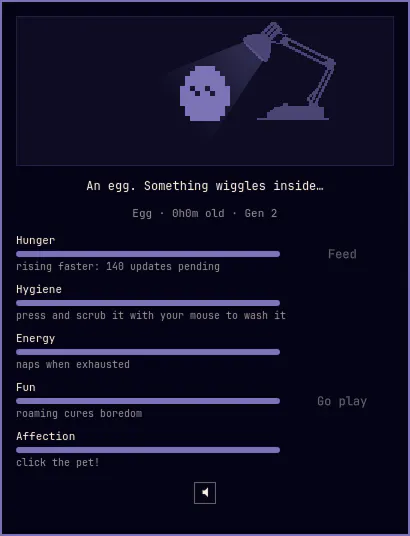
Una mascota de escritorio de 1 bit en tu barra, con el espíritu de las originales de 1997: aliméntala, báñala, dale cariño y déjala pasear por tu pantalla y trepar por tus ventanas. Nace, crece y evoluciona con tus cuidados.
SLcode777 - Other
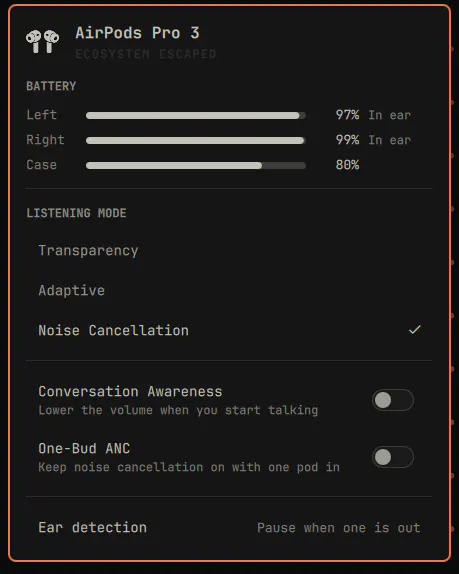
AirPods en la barra de Omarchy: batería de cada audífono y del estuche, modo de escucha, nivel de ruido adaptativo, detección de conversaciones, ANC con un audífono y detección de uso.
GM - Hardware
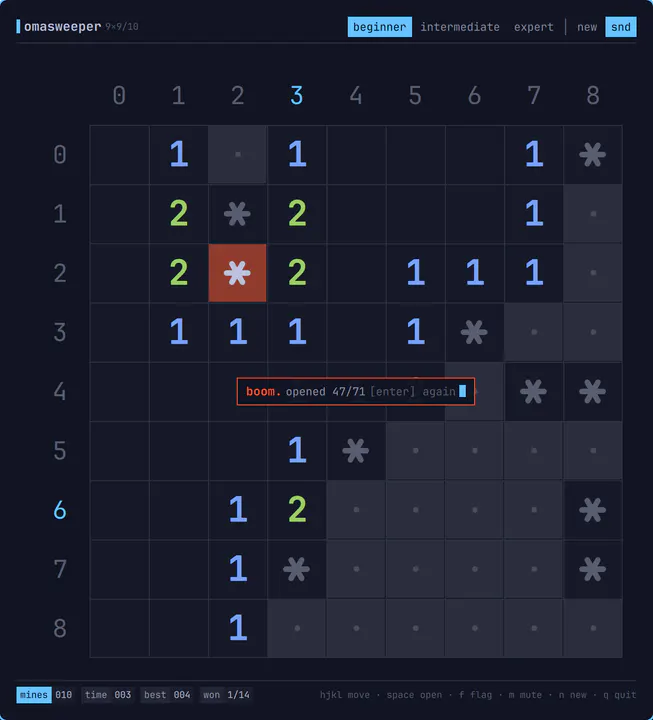
Buscaminas para omarchy-shell, dibujado como una interfaz de texto: cuadrícula de caracteres con líneas finas, etiquetas laterales en base 36, números ANSI y barra de estado. Abre como una ventana normal en mosaico, se juega por completo con el teclado y movimientos vim, emite sonidos de 8 bits y se descarga de memoria al cerrarlo. Ábrelo con: omarchy-sh
Jankees - Widgets
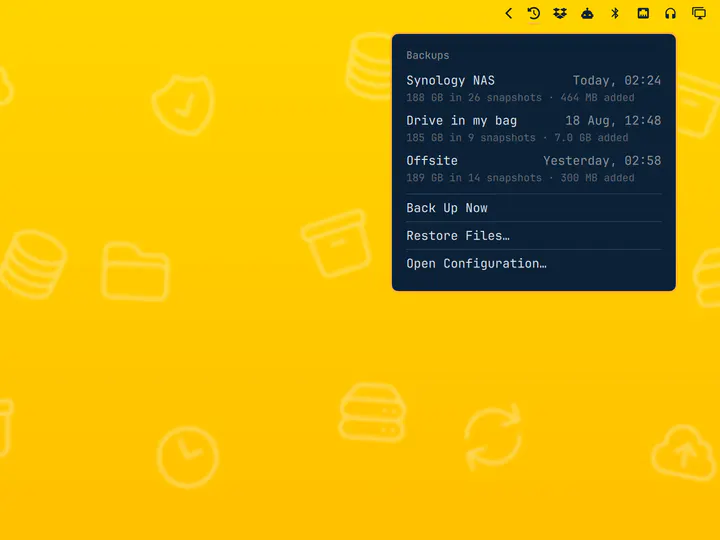
Respaldos restic programados con selector de destino y explorador de instantáneas
Jankees - System
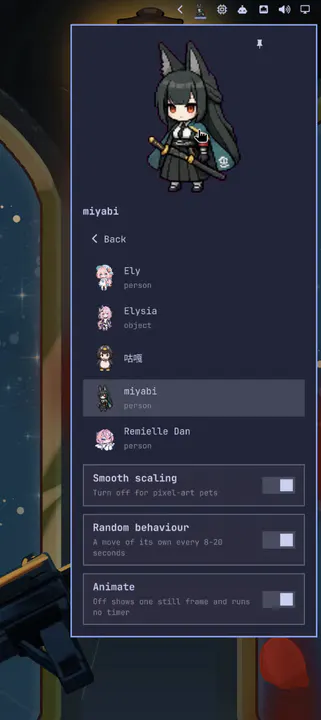
Un compañero animado Codex Pets en la barra: hace sus propios movimientos en momentos aleatorios, mira tu cursor y se puede fijar al escritorio.
Raiden-MeixElysia - Widgets
Tu agente debe sentirse en casa en tu computadora. Omarchy le da las herramientas y habilidades para ayudarte a entender, arreglar y moldear todo el sistema.
Al iniciar por primera vez, Omarchy te invita a configurar un agente predeterminado. Elige tu favorito, inicia sesión y ponlo a trabajar en tu computadora.
Cuando una aplicación falla, haz clic en la notificación para que tu agente investigue. Puede examinar el volcado de memoria, diagnosticar el problema y ayudarte a reportar el error.
Omarchy incluye habilidades para ayudar a tu agente a crear aplicaciones, plugins y temas. Describe lo que quieres, prueba lo que construya y compártelo con todos.
Un tema cambia el estilo de todo el sistema a la vez: terminal, barra, notificaciones y fondo de pantalla. Elige uno y este sitio también lo usará. O presiona T para recorrerlos.
Las herramientas que conoces, configuradas para trabajar juntas. Trae tus proyectos, elige tus favoritas y empieza a crear de inmediato.
Neovim es el predeterminado, con VSCode, Cursor, Zed, Sublime Text, Helix, Vim y Emacs listos para instalar. Elige tu favorito y úsalo como predeterminado en todo el sistema.
Elige tu editorInstala Ruby on Rails, Laravel, Node.js y muchos otros entornos de desarrollo desde el menú de Omarchy. Mise administra las versiones de los lenguajes para que cada proyecto use lo que necesita.
Configura tu entorno de desarrolloFoot es la opción predeterminada, rápida y ligera. ¿Prefieres Alacritty, Ghostty o Kitty? Las cuatro están integradas y los mismos atajos de teclado siguen funcionando cuando cambias de terminal.
Elige tu terminalTambién disponible: Herdr, Tmux, Docker, Lazygit, y las mejores herramientas de shell.
Omarchy viene listo para Steam, RetroArch y todo un mundo de juegos. Los controladores gráficos y la configuración, incluida NVIDIA en hardware compatible, se resuelven durante la instalación.
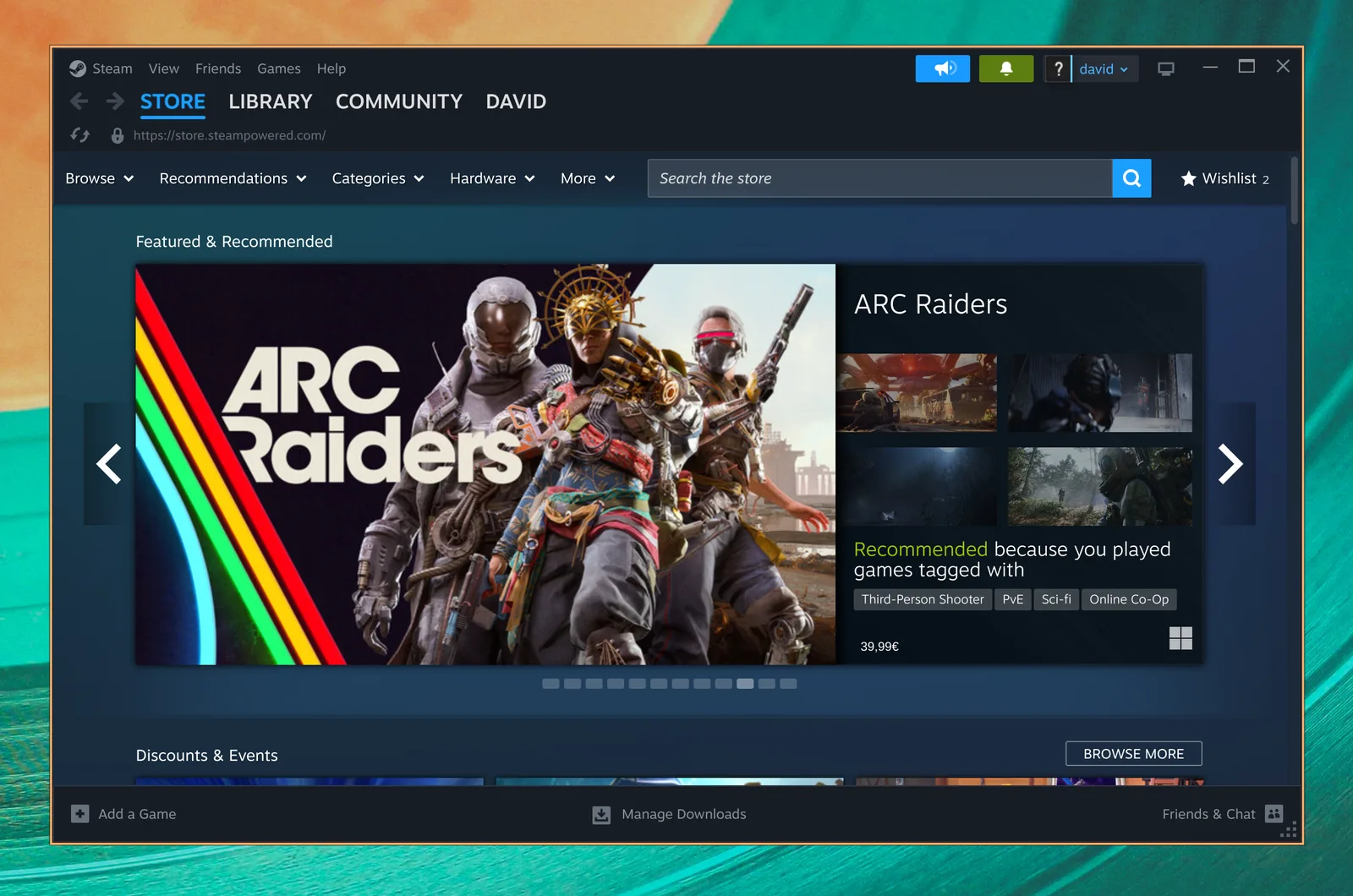
Tu biblioteca de juegos de PC, en casa en Linux. Steam y Proton traen un enorme mundo de juegos modernos a Omarchy.

Vuelve a los clásicos con un conjunto completo de núcleos de emulación y el hermoso shader CRT Royale, ya configurado para ese aspecto retro.
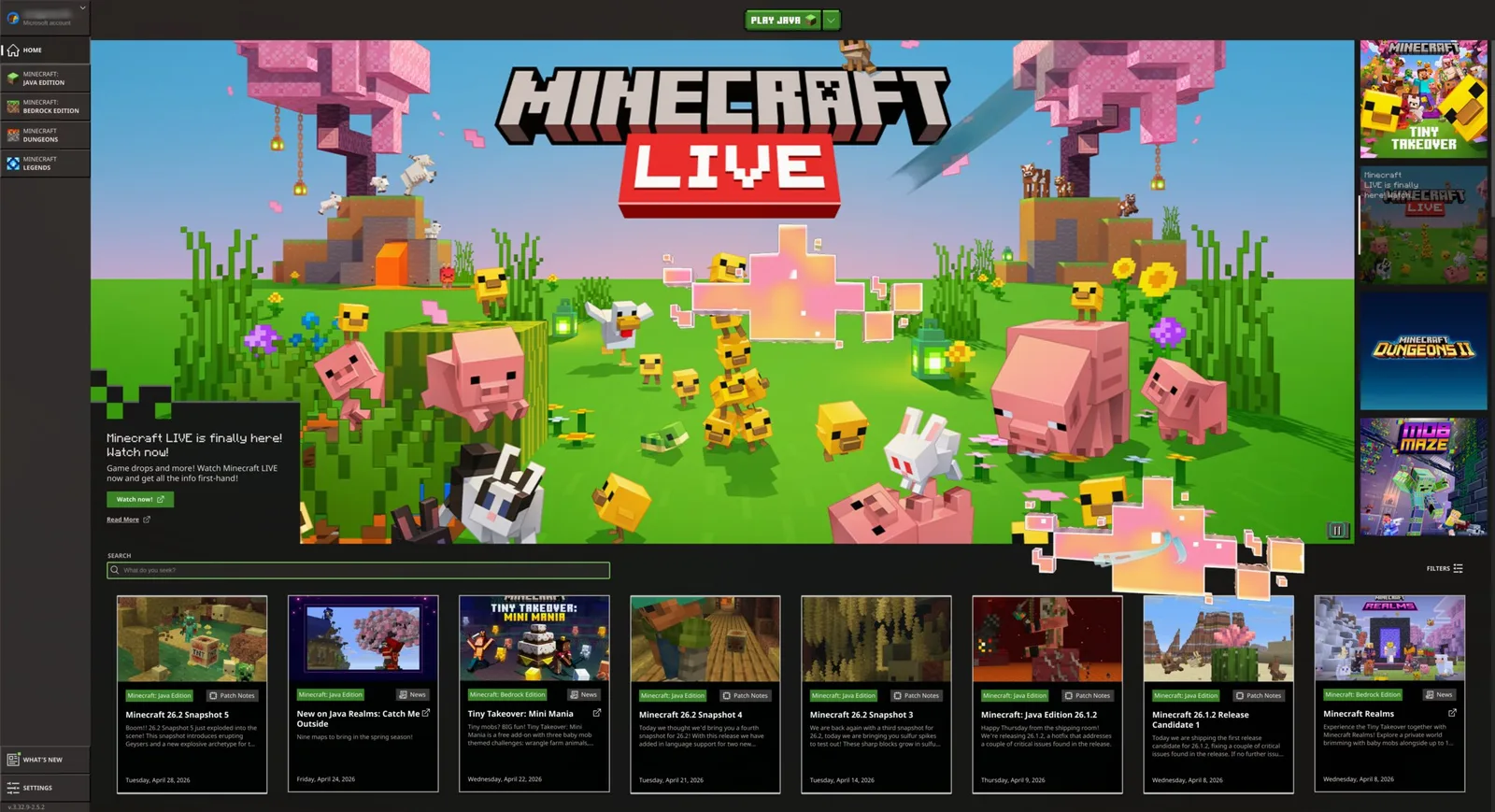
Construye, explora y crea tu propio mundo. Instala Minecraft directamente desde el menú de juegos de Omarchy y deja volar tu imaginación.
También disponible: Battle.net, Lutris, Heroic, Moonlight, GeForce NOW, y Xbox Cloud Gaming.
Conserva las aplicaciones de Windows que necesitas dentro de Omarchy. Nuestra máquina virtual de Windows 11 da lugar a Microsoft Office nativo y a los programas que no puedes dejar atrás.
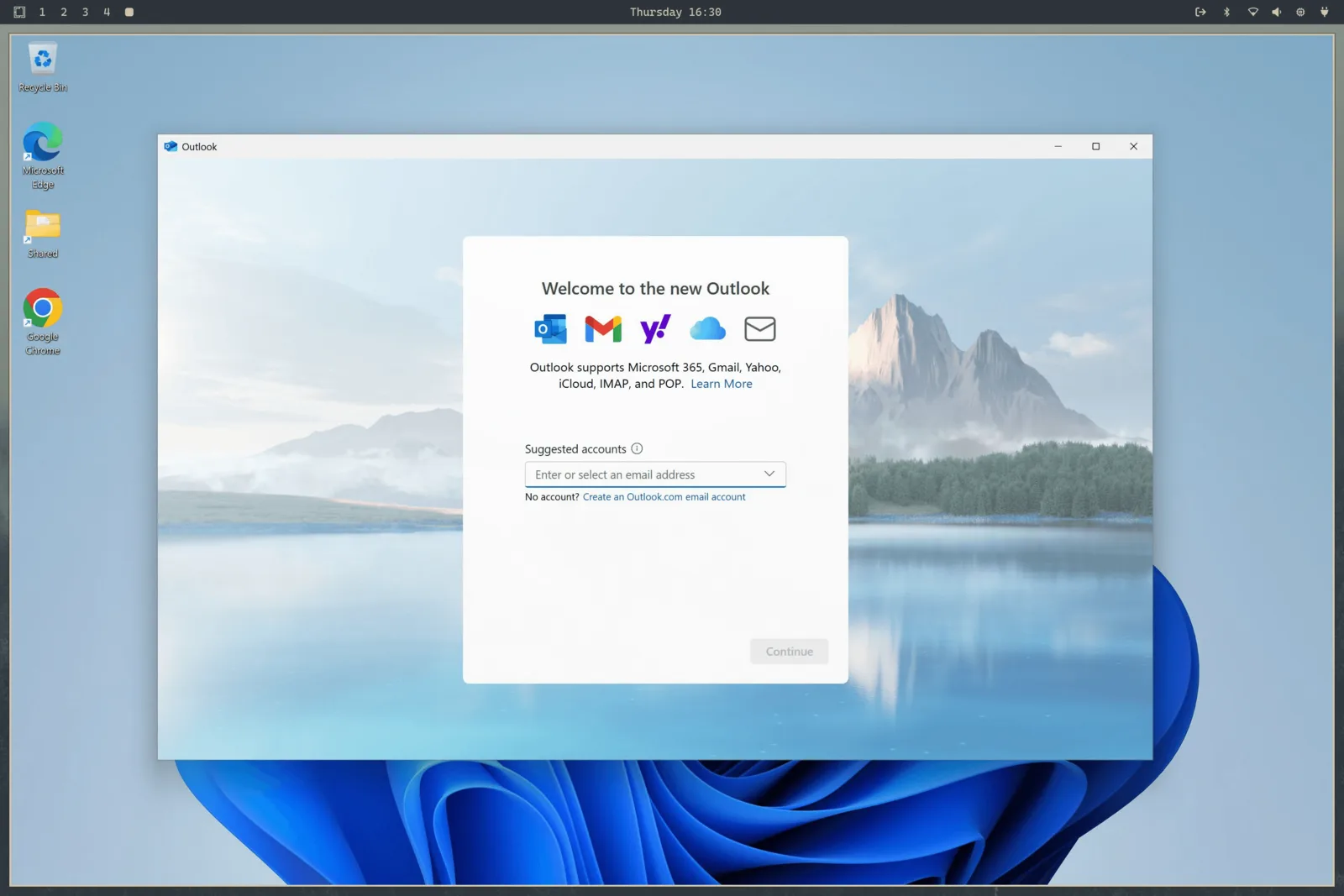
Elige Install > Windows en el menú de Omarchy. La virtualización por hardware ofrece un rendimiento del procesador casi nativo para Office y el trabajo diario, con portapapeles compartido y una carpeta para mover archivos entre Windows y Linux.
Trae una licencia de Windows 11 Pro válida para una máquina virtual. Ejecuta omarchy windows key para recuperar la clave original de tu computadora (solo funciona con licencias Pro, no Home).
Esta configuración no tiene aceleración ni acceso directo a la GPU. Es ideal para documentos, hojas de cálculo y aplicaciones de trabajo exclusivas de Windows, pero no está pensada para juegos ni trabajo gráfico exigente.
Donaciones, descargas y contribuciones. Todo esto impulsa el crecimiento.
| Yesterday | 9,158 |
|---|---|
| Last week | 75,071 |
| Last month | 242,851 |
Lo que publicaron en X después de instalarlo.
Las publicaciones se muestran en su idioma original.
 Alex Finn@AlexFinn · Aug 28
If you use AI, you need to switch to Omarchy immediatelyIt is an AI first, open source operating system by @dhh and it has skyrocketed my productivityIn this video I cover how to use it, how to install it, and why I'm having more fun using computers than I ever have before:

 Ojisan Kaichou@OjisanKaichou · Aug 28
After 3 days I am confident in saying that Omarchy Quattro is the absolute best operating system I have ever used, hands down. Better than MacOS. Better than Ubuntu. Way better than Windows. I never knew how much I wanted a tiling window manager until now. I never knew how slow everything else is until now. I didn't know that computing could be as easy and enjoyable today as it was back in the Commodore 64 era. It strikes the perfect balance between "it just works" and "it works if you put in the effort." MacOS is the former, other Linux distros are the latter. The AI integration with Omarchy makes it easy to customize and fix any problems along the way with minimum friction and frustration. Doing everything with keyboard commands takes me back to the Windows 3 era when Windows was fun and not an evil overlord.But I do know that I have only scratched the surface of what Omarchy has to offer. The future looks bright!

 Simon Høiberg@SimonHoiberg · Sep 1
I'm officially installing Omarchy everywhere. This OS is just so good and it just doesn't stop growing on me 🤌Please create Omarchy Android, @dhh. I want to go all-in!
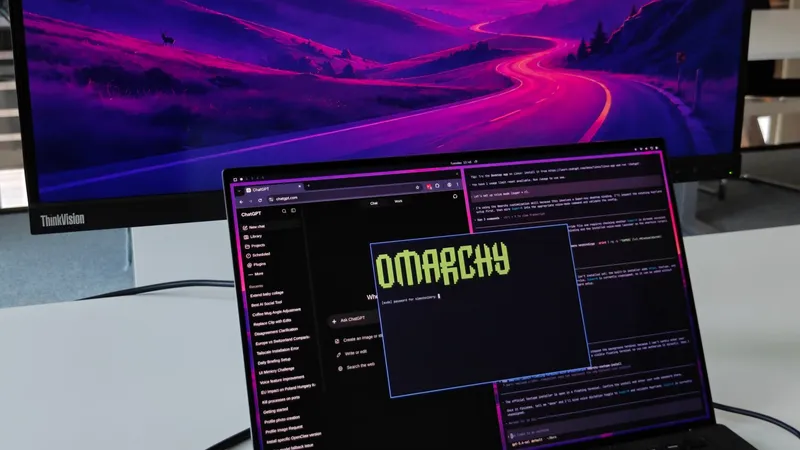
 Greg Gauthier@gmgauthier1967 · Aug 30
I will say this much about Omarchy: I haven't seen this kind of popular energy around an OPERATING SYSTEM, since Windows 95. This definitely has that "Where Do You Want To Go, Today?" feel to it. https://www.youtube.com/watch?v=wRdl1BjTG7c
 Hybrid 🏃🏾@markfenner · Aug 21
I’ve been running Ubuntu on my second machine for over a decade.After seeing another breakdown of Omarchy, this time from @NetworkChuck, I’m fully making the switch today.He changed the entire desktop theme in seconds, used an AI agent to build a Quickshell plugin, handed a crashed process to the agent for diagnosis, ran games through Proton, and launched a Windows VM when Linux wasn’t enough.Omarchy isn’t just Arch with a nice desktop.It starts with Arch, Hyprland, Quickshell, and a keyboard-first workflow, then gives you an environment you can continue reshaping around how you work (the linux boys calls this ricing).The operating system can become another surface your agents can help you modify.Ubuntu had a great run.Omarchy loading…

 Janis Ozolins@OzolinsJanis · Aug 28
I'm enjoying the last dance with Mac OS. It's been beautiful 15+ years. But I can't resist this passion and energy around Omarchy. I've never seen myself running Linux, as a non-dev, but times have changed.As a vibe-coding fanatic for the past year, it’s a no-brainer to switch to an OS where agents are first-class citizens and where customizing the OS is natural, unlike in Mac where it’s a bit of an uphill battle.
 typecraft@typecraft_dev · Aug 29
FWIW no one paid me to make a video about omarchy. I actually love it

 IroncladDev@IroncladDev · Sep 4
Omarchy unintentionally gave birth to a new design system that doesn't just follow the standardized UI patterns on mainstream operating systems, and it's beautiful
 Lars Jansen@oldstackjournal · Sep 1
I finally looked into Omarchy and I can see why dev twitter is suddenly obsessed with it.It’s basically Arch with somebody else making all the hard/endless decisions for you.Hyprland. Terminal first. Keyboard driven. Neovim. Plain config files. Very little “click through six settings panels and hope for the best”This style of OS makes a lot of sense now with ai. An agent can read the config, edit the config, install the package , restart he service, inspect the logs and change the workflow.Which is weird because the future of ai computing might end up looking a lot like the old way of using computers: files, terminals, scripts, text and a machine you can actually understand.
 Karl Løland@etroll · Sep 1
Using Omarchy for a week now, and needed the ability to mirror my screen to and AppleTV at the office (and home) for some presentation. Within ~30 mins, a plugin that can mirror screen and windows from Omarchy was created. The malleable computer from @dhh is the future happening in front of our eyes.https://github.com/ETroll/omarchy-airplay
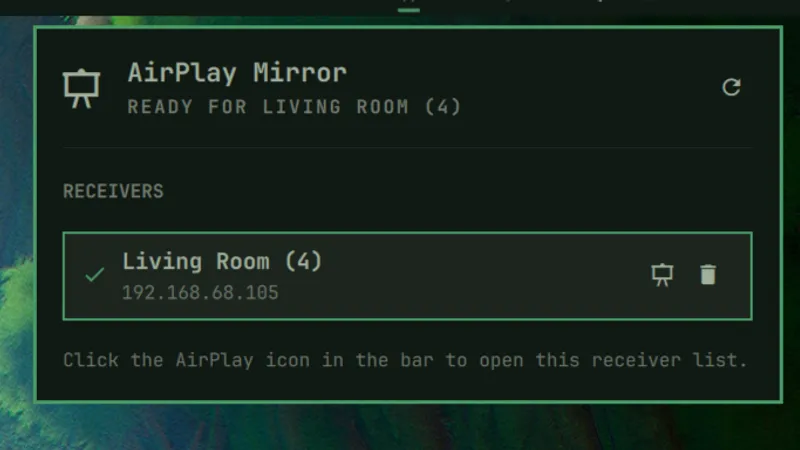
 Anush Elangovan@AnushElangovan · Sep 5
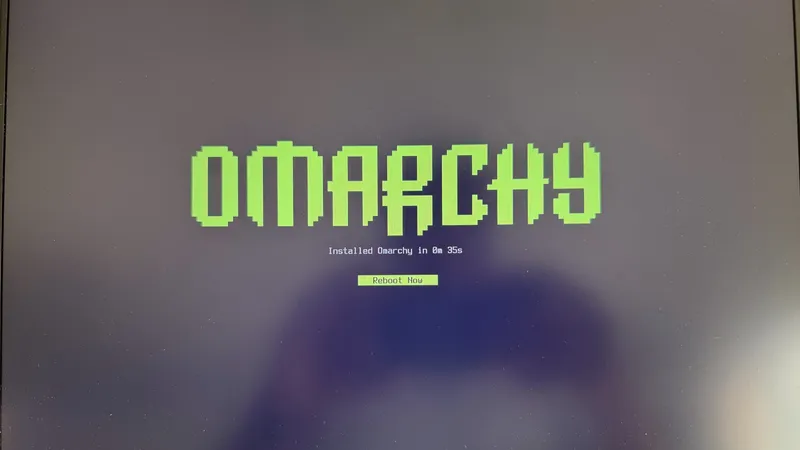
35s Omarchy install on my Halo laptop. Great work @dhh . This is now my daily driver. Still getting used to the short cuts but the best Linux desktop to date (close to my custom Gentoo build that ofcourse took a few weeks to dial in😝)
 Micah Bias@bias_micah · Aug 30
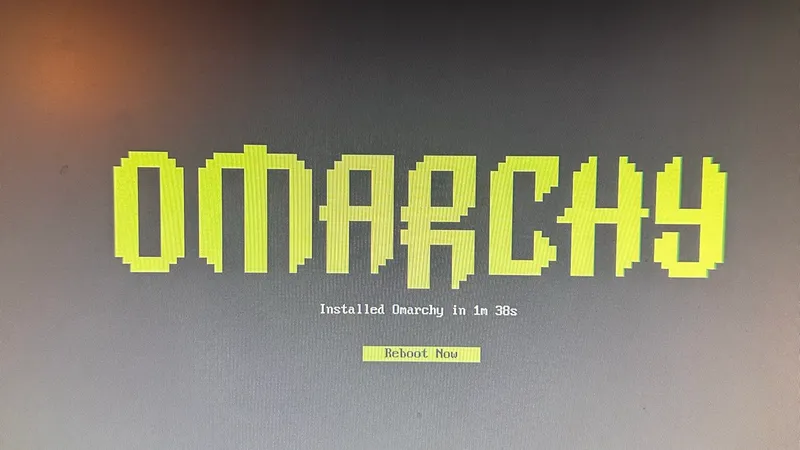
Installed Omarchy. I don’t think I’m going back to windows for my personal daily driver. About an hour getting used to the tile navigation, and I’m hooked. So far, everything I’ve needed to install has been a few keystrokes away, and it all just works. This is wonderful.
 Fredi Machado@fredimachado · Sep 6
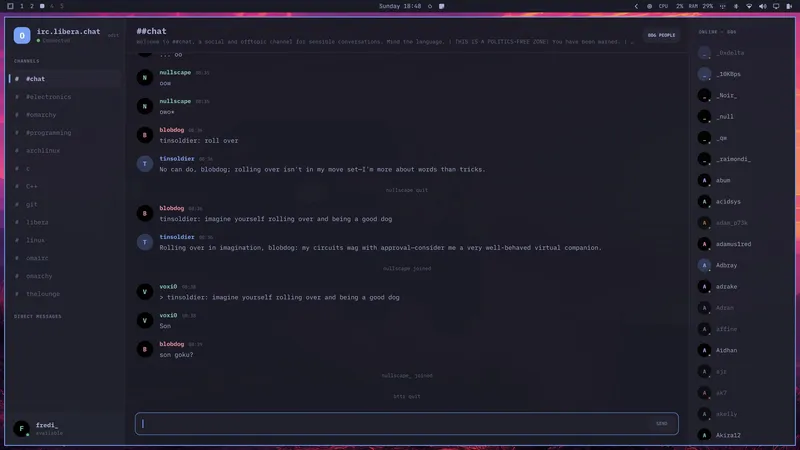
I'm having so much fun with Omarchy. I'm having that sense of childlike wonder with this thing. I love it! I even built a dead-simple IRC client (Omairc) for it, because why not? Thanks @dhh !! #omarchy
 Dmitrii Kovanikov@ChShersh · Sep 6
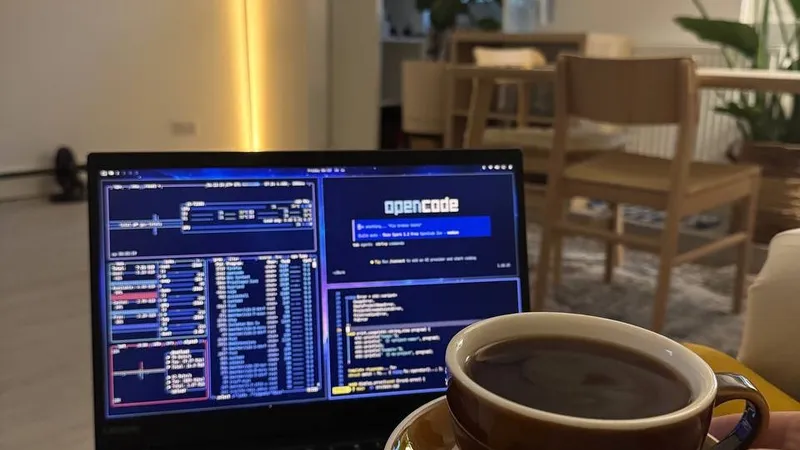
I've been using Omarchy for a week, and here's my full honest review.It's an OS that made me excited about computers again.I was planning to play with it for only a couple of hours. But I find myself spending more and more time using it. It's so pleasant to use that I don't want to go back.Omarchy is a chef's special. And you can say that all the ingredients, like Arch, Hyprland, OpenCode, etc., existed long before, so you could always make it for yourself (not really true; people have built some things specifically for Omarchy from scratch). But someone spending so much time and resources to package everything nicely makes a big difference.The fact that a fully working Omarchy setup is just a couple of minutes away makes a big difference. I can literally install it while I'm brewing my coffee and simply start using it immediately.It just works ™️And then I can spend all the time in the world tinkering with it because it's such a nice experience.You can notice that Omarchy is built by a person who cares about a product. It's not just tech supremacism. Every minor detail matters, and every papercut is taken seriously.As it should be.Even an innocent tiny thing like "pressing an arrow or backspace key moves the cursor a little bit faster" makes a big difference for me. I do feel like the computer matches my speed of thinking and working.Omarchy is not perfect. I had a minor issue with copy/paste keybindings with multiple language layouts (there's an open PR to address that already, and my agent fixed it for me locally). Terminal and browser windows take several noticeable seconds to start on my old laptop in a power-saving mode. My agent broke my theme once when I was trying to be too experimental with it (but then it easily reverted it to a working state).But honestly, this is nothing compared to how bad Windows and macOS can be in areas that matter.Omarchy will get better. Substantial resources are put into it, and I trust the @DHH vision to make it even better.My biggest genie wish for now is having a better file browser, e.g. a TUI version of Total Commander or Far Manager style. But I've already seen someone working on a similar thing, so I have high hopes.I just can't believe my oldest and least powerful laptop in my home is the machine I'm the most excited to use.
 Ravi Vasavan@ravivasavan · Sep 6
Installed Omarchy on my PC, went as far as wiping any traces of Windows from it. It truly is opinionated and I love that agents are considered native, setting it up has been fun and plugging in all of my go-to's were super easy. Hats off to @dhh and all involved.
 Elvinas Predkelis@predkelis · Jul 2
All right, Omarchy is quite something. It's been a while back since I've last used Linux as a daily driver. But Omarchy is a breeze - snappy, intuitive and a joy to use.Some personal tweaks here and there, adding Ghostty and it's a dream machine. Thank you @dhh 🙏
 l0gicgate@l0gicgate · Aug 30
I was using Manjaro and almost everything was broken in the distro. Omarchy just works out of the box and is more polished than other distros out there. Also wanted hyprland already setup for me. Been mainlining it for 425 days now. Love it.
 David@D_av_id_ · Aug 31
Posting this from Omarchy Quattro on my 2012 Mac Mini1. I love it 2. Omarchy runs circles around macOS itself on this machine, which had become entirely unusable
 Brodie Robertson@BrodieOnLinux · Aug 31
It is funny to me how much mental energy is being spent trying to find vulnerabilities in Omarchy as a dunk on the project inadvertently making it way more secure than it would have been if left alone.
 The Lunduke Journal@LundukeJournal · Aug 24
I see a lot of activists attacking Omarchy Linux for getting $8 Million in donations to fund its new Foundation.“Omarchy is compromised!”, they exclaim. “It’s for billionaires… it’s not for the people! It’s Oligarchy Linux.”This is, quite frankly, retarded.Who funds Fedora? IBM (and their multi-billion dollar subsidiary, Red Hat).Who funds the Linux kernel? Microsoft, Meta, Amazon, IBM, and a bunch of other Billion dollar corporations (often run by billionaires). All directly funding and controlling a quarter billion dollar per year trade organization.If “Omarchy is compromised… it’s Oligarchy Linux!”… then so is Fedora. And absolutely every system which uses the Linux kernel. Without exception.Yet we see this “3 generations of inbreeding” level of stupid being spouted all across Mastodon.

Omarchy Core define el rumbo, el equipo de Seguridad protege tu sistema, Diseño le da forma y los Rangers ayudan a los demás a orientarse.




















Los multimillonarios, los simples millonarios y las empresas que financian la mayor parte del desarrollo, mantenimiento y difusión de Omarchy.
Reúnete con quienes aman las computadoras tanto como tú. Comparte plugins, presenta proyectos y ayuda a los nuevos a integrarse en la comunidad.

· San Donà di Piave

· Bengaluru
· Providence

· 東京都

· Budapest


· Seoul, South Korea


· Newcastle upon Tyne

· Ìbàdàn

· Atlanta

· Miami

· Miami

¿No hay una reunión en tu ciudad? Organiza la tuya.
Dirige a tu agente y convive con quienes hacen lo mismo.
Charlas diarias, ayuda y proyectos compartidos con miles de Omarchs.
Únete al servidorEstán surgiendo reuniones de Omarchy por todo el mundo. Encuentra una cerca de ti u organiza la tuya.
Encuentra una reuniónReporta problemas, corrige errores y aporta funciones.
Contribuye en GitHubAyuda a financiar a las personas y proyectos que mejoran Omarchy para todos.
Conviértete en mecenas